
Download Chronometask – Timer, Task Automation, PC Restart, Application Close, Countdown, Windows Utility, Productivity Tool, Schedule Tasks, Smart Timer, Task Scheduler
Overview
Chronometask is a lightweight, productivity-focused utility designed for Windows users seeking to automate routine system tasks through customizable countdown timers. The application enables users to schedule actions such as restarting their PC or closing specific applications after a set period, offering a streamlined alternative to built-in task schedulers for simple, repeatable workflows. It is particularly useful for individuals managing long-running processes, system maintenance, or application sessions that require timely termination or rebooting.
Target users include home users, remote workers, IT administrators, and anyone who benefits from precise, automated timing without complex configurations. The app solves the common problem of manual intervention in time-sensitive tasks, reducing the risk of oversight. For example, a user might set a timer to close a memory-heavy application after two hours of continuous use, or schedule a system restart after a software update to ensure optimal performance.
Developed by Chronometask, the application has been available since 2013, indicating a stable and tested presence in the Windows productivity ecosystem. Although the developer did not provide additional technical details or company background, the app’s longevity suggests reliability and consistent functionality. Its niche focus on timer-based automation makes it a valuable tool within the broader category of system utilities, especially for users who prefer simplicity over complexity.
Key Features & Functionality
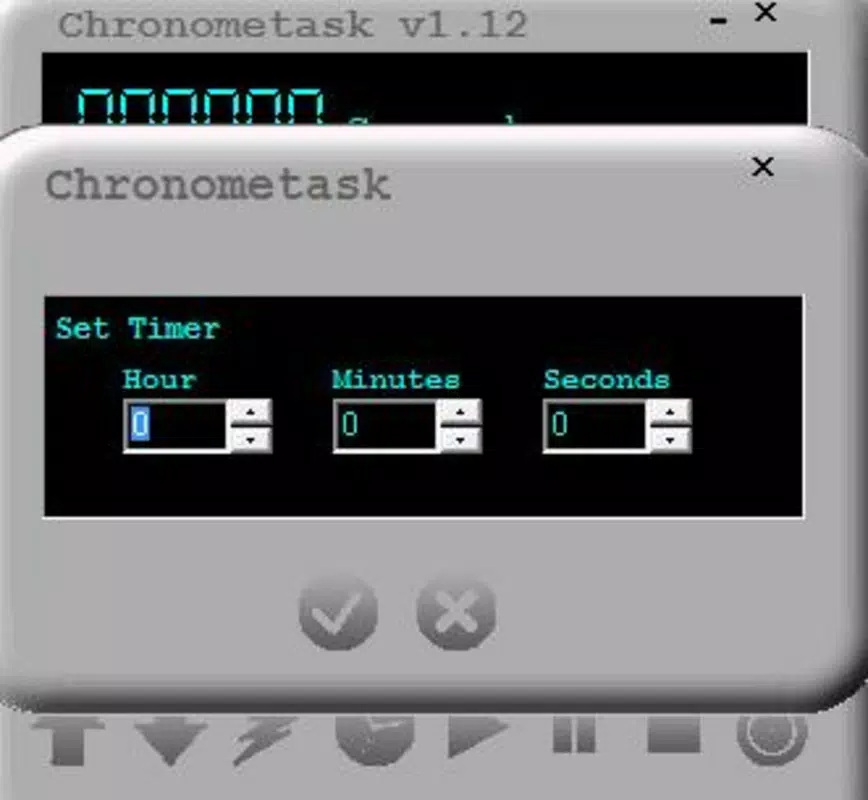
- Customizable Countdown: Users can set any duration from seconds to days, allowing flexibility for short tasks or extended workflows. This feature supports both precise timing and long-term scheduling, making it suitable for diverse use cases such as timed downloads, session limits, or scheduled reboots.
- Task Automation: After the countdown completes, the app can automatically execute predefined actions—such as restarting the PC or closing a specific application—without requiring user input. This reduces manual effort and ensures consistency in routine operations.
- Time Adjustment Options: The interface allows real-time modification of the countdown by adding or subtracting time. Users can pause, resume, or stop the timer at any point, enabling dynamic adjustments when plans change mid-process.
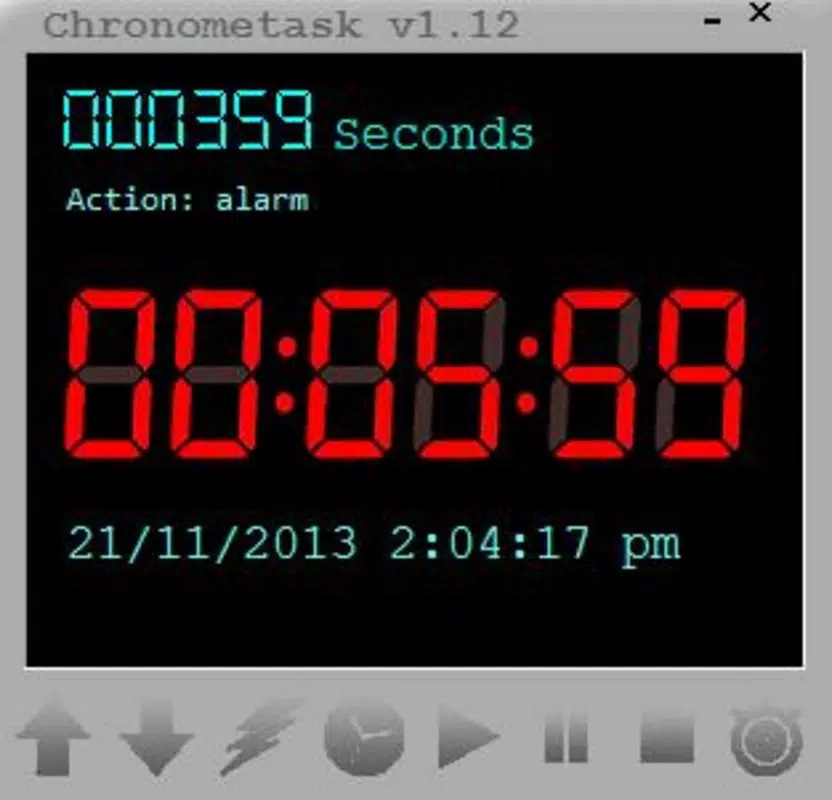
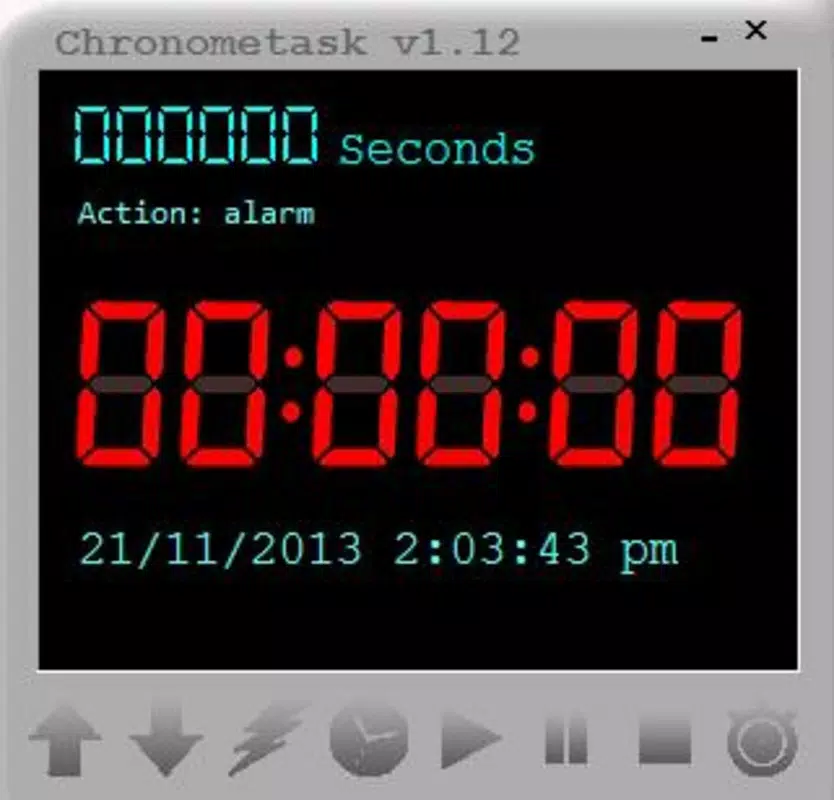
- Real-Time Clock Display: A built-in clock shows the current time and date directly within the app window, helping users align their countdowns with actual time without switching between applications.
- User-Friendly Interface: The layout is clean and intuitive, minimizing learning curves. Even users with minimal technical experience can quickly set up timers and manage actions, thanks to straightforward controls and visual feedback.
For instance, a user might set a 90-minute countdown to close a browser tab after a study session, or schedule a daily 2 AM restart to clear system memory. These practical applications demonstrate Chronometask’s value in enhancing workflow efficiency and system management.
Interface, UX & Performance
Chronometask features a minimalistic interface that prioritizes clarity and functionality. The main window displays the countdown timer prominently, alongside the current time and date, ensuring users can monitor progress at a glance. Navigation is straightforward, with controls for starting, pausing, resetting, and adjusting the timer located within easy reach.
The visual style is utilitarian, focusing on readability and low distraction. There are no flashy animations or complex menus, which contributes to a stable and responsive experience. The app runs with minimal system resource usage, a key advantage for users managing older or low-spec machines.
Although the developer did not list formal performance metrics, the app’s lightweight size of 1.4 MB suggests efficient code execution. It is designed to operate in the background without interfering with other applications. Responsiveness is maintained across different device categories, including desktops and laptops, though specific compatibility details were not disclosed. Stability appears consistent, given the app’s long-standing availability and lack of reported issues in public forums.
Platform Compatibility & Technical Requirements
Chronometask is designed exclusively for the Windows platform, making it accessible to users running any version of the operating system that supports legacy applications. The software version is 1.0, with a file size of 1.4 MB, indicating a compact and lightweight footprint.
While the developer did not specify minimum OS requirements or compatibility details beyond the platform, the app’s age and small size suggest broad compatibility with modern Windows systems, including Windows 10 and Windows 11. However, users should exercise caution when installing on newer systems with strict security policies, as older utilities may trigger warnings from antivirus software or Windows Defender.
Updates are not currently available through the official channel, and the app has not been updated since its release in 2013. This may affect long-term compatibility, especially with future Windows versions. Users should ensure they are running a trusted environment before installation.
Pros and Cons
Pros
- Lightweight and fast, with minimal impact on system resources.
- Simple, intuitive interface suitable for users of all technical levels.
- Supports flexible countdown durations from seconds to days.
- Offers real-time time display for better scheduling accuracy.
- Free to download and use, with no in-app purchases or ads.
Cons
- No official updates since 2013; potential compatibility risks with future Windows versions.
- Developer did not provide detailed system requirements or support documentation.
- Limited to Windows platform; not available on mobile or macOS.
- No cloud sync or backup features for saved timers.
- Basic design with no customization options for themes or layouts.
FAQ
Is Chronometask safe to download and install?
Yes, the app is free and has been available since 2013. However, due to its age and lack of recent updates, users should scan the file with antivirus software before installation, especially on modern systems.
Can I use Chronometask on Windows 11?
While the developer did not specify compatibility details, the app’s lightweight nature and long history suggest it may work on Windows 11. Users should test it in a secure environment and be aware of potential security warnings.
Does Chronometask support multiple timers?
The provided information does not confirm multi-timer functionality. The app appears to support a single active countdown at a time.
Can I schedule tasks to run daily or weekly?
Based on the available details, Chronometask is designed for one-time countdowns. It does not appear to support recurring schedules or calendar-based automation.
Is the app available for Android or iOS?
No. Chronometask is a Windows-only utility and is not available on mobile platforms such as Android or iOS.
Final Thoughts
Chronometask remains a reliable, no-frills solution for users who need to automate basic system tasks through a countdown timer. Its simplicity, low resource usage, and free availability make it a compelling choice for those seeking a straightforward alternative to complex task schedulers. While its lack of updates and modern features may be a concern for some, its core functionality continues to serve users effectively.
It is best suited for individuals who value efficiency, minimalism, and direct control over their system operations. Whether restarting a PC after a long session or closing a resource-heavy app, Chronometask delivers consistent results without complexity.
For those in need of a dependable, lightweight timer with automation capabilities on Windows, this app offers real value. Download Chronometask now.


